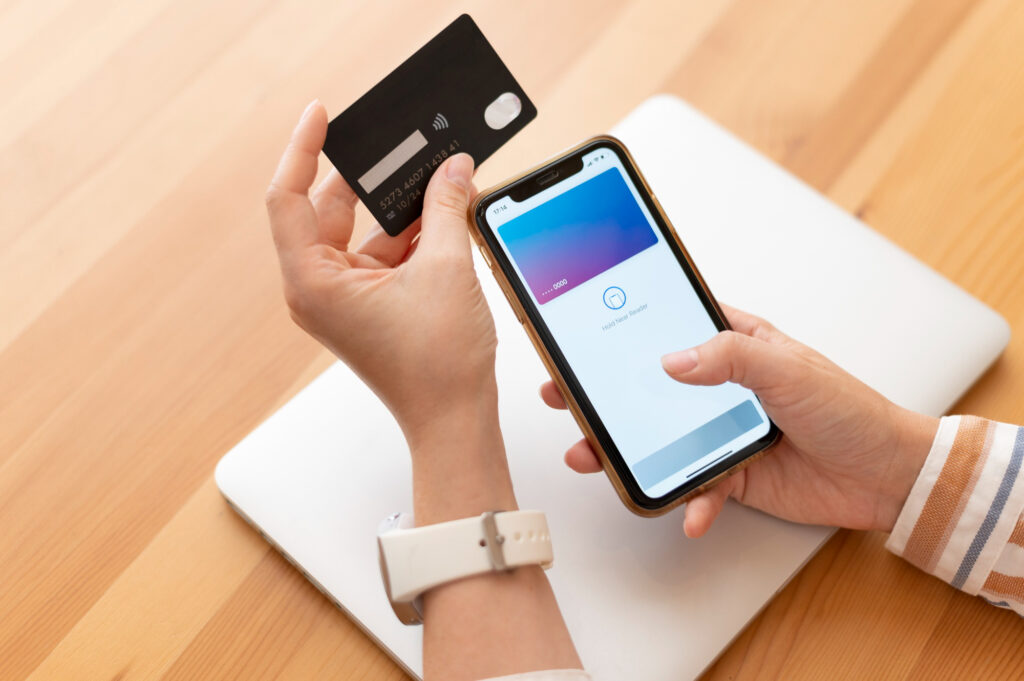
Networking has always been one of the most important activities for business growth. In 2026, however, the way professionals connect is changing rapidly. Physical business cards are slowly becoming obsolete, replaced by digital business card apps that make networking faster, smarter, and more sustainable.
These apps not only help share contact information instantly but also allow professionals to track engagement, integrate with CRM tools, and showcase personal or company branding. This article explores the best digital business card apps of 2026, the benefits of going digital, and how these tools are transforming networking for modern professionals.
Also Read: Why Python Frameworks Matter in Modern Web Application Development
Why Digital Business Cards Are the Future
1. Sustainability and Eco-Friendliness
Traditional business cards consume paper and contribute to waste. Digital cards reduce paper usage, supporting sustainability goals. Companies like WeWork encourage employees to use digital solutions to lower environmental impact.
2. Instant Updates and Real-Time Sharing
Unlike printed cards, digital cards can be updated instantly. If your phone number, email, or company changes, your digital card can reflect that immediately. This ensures that contacts always have your current information.
3. Integration With Modern Tools
Digital cards can connect to CRM systems, LinkedIn, email marketing tools, and calendar apps, providing a seamless networking experience. Integration increases efficiency and ensures no leads are lost.
4. Analytics and Lead Tracking
Some apps provide detailed analytics on who viewed your card, when it was shared, and how often it was accessed. This is invaluable for sales and business development professionals. HubSpot and Salesforce now support direct integration with top digital business card apps for tracking and follow-up.
5. Convenience and Speed
In fast-paced business environments, sharing a digital card is faster than handing over a physical card, typing details into your phone, or scanning QR codes separately. Most apps allow you to share via email, QR code, NFC, or text instantly.
Top Benefits of Using Digital Business Card Apps
| Benefit | Explanation |
| Eco-Friendly | Reduces paper waste and supports sustainability initiatives. |
| Cost-Effective | No printing or reprinting costs; subscription or free apps are inexpensive. |
| Up-to-Date Info | Instantly update contact info without distributing new cards. |
| Easy to Share | Share via email, text, QR code, social media, or NFC. |
| Analytics | Track who viewed or saved your card, making follow-ups smarter. |
| Branding | Customize your card with logos, images, social media links, and videos. |
| Integration | Sync with CRM, email marketing, calendars, and productivity tools. |
How Digital Business Cards Are Revolutionizing Networking
Digital business cards do more than replace paper—they enhance networking by providing:
- Interactive Content: Add company videos, product demos, or portfolio links.
- Global Reach: Share instantly with anyone, anywhere in the world.
- Security: Many apps allow encryption to protect your contact information.
- Automation: Schedule follow-ups, reminders, or email campaigns directly from the app.
Research from Harvard Business Review indicates that professionals using digital networking tools experience 30% faster follow-ups and 25% higher lead conversion compared to traditional methods.
Also Read: Your Guide to the Dawn of the Spatial Computing Revolution
Top Digital Business Card Apps of 2026
Here’s a detailed look at the best apps for professionals in 2026, including their key features, pros, and integration capabilities.
1. HiHello
HiHello is one of the most popular digital business card apps in 2026. It’s free with premium options.
Features:
- Customizable cards with logos, photos, and videos.
- Share via QR code, email, or text.
- Syncs with CRM tools like Salesforce and HubSpot.
- Provides analytics on card views and interactions.
Why it’s great: HiHello is ideal for professionals who want highly customizable cards with smart analytics.
Learn more at HiHello.
2. CamCard
CamCard has been a longstanding solution, evolving for 2026 needs.
Features:
- Scan physical cards to digitize contacts.
- Multi-language support for global networking.
- Cloud backup to prevent loss of contacts.
- Team features for sales and marketing teams.
Why it’s great: Perfect for professionals who still encounter physical cards but want to digitize and manage contacts efficiently.
Check out CamCard.
3. L-Card Pro
L-Card Pro focuses on business branding and personalization.
Features:
- Animated cards for visual impact.
- NFC compatibility for instant sharing.
- Integration with LinkedIn, email, and CRM tools.
- Bulk sharing for events and conferences.
Why it’s great: Best for professionals who want brand-forward digital cards that stand out.
Explore L-Card Pro.
4. Inigo
Inigo is designed for sales teams and entrepreneurs.
Features:
- Smart sharing via email, SMS, QR, and social media.
- Track analytics on who opens and interacts with your card.
- Custom templates for different purposes.
- Integration with CRM platforms for lead follow-up.
Why it’s great: Ideal for sales-driven networking with advanced tracking.
Learn more at Inigo.
5. About.me
About.me focuses on personal branding for professionals.
Features:
- Simple, visually appealing profile pages.
- Add links to social media, portfolios, or blogs.
- Share your profile via URL or QR code.
- Analytics to track profile visits.
Why it’s great: Best for professionals looking to combine networking and personal branding in one profile.
Visit About.me.
6. Switchit
Switchit combines video, CRM, and digital business cards.
Features:
- Video-enabled cards to make introductions more engaging.
- CRM integration for lead management.
- Track interactions and engagement in real-time.
- Easy QR code and NFC sharing.
Why it’s great: Perfect for professionals who want interactive, multimedia networking cards.
Learn more at Switchit.
7. Covve
Covve is ideal for relationship-driven professionals.
Features:
- Smart contact management with reminders and notes.
- AI-powered suggestions for follow-ups.
- Email integration for automatic updates.
- Analytics to monitor networking effectiveness.
Why it’s great: Best for professionals who focus on building long-term relationships.
Check Covve.
How to Choose the Right Digital Business Card App
When selecting an app, consider:
- Ease of Use: Can you share cards instantly without complex steps?
- Integration: Does it connect with your CRM, email, or social apps?
- Customization: Can you add logos, videos, or personal branding elements?
- Analytics: Does it track views, shares, and interactions?
- Security: Does it protect your contact information and prevent misuse?
- Cost: Does it fit your budget, including premium features if needed?
A comparison of top apps for different needs helps narrow choices:
| App | Best For | Key Feature | Integration |
| HiHello | Professionals & Teams | Analytics & branding | CRM, LinkedIn |
| CamCard | Digitizing physical cards | Multi-language scanning | Cloud Backup |
| L-Card Pro | Branding & customization | Animated cards | NFC, CRM |
| Inigo | Sales teams | Lead tracking | CRM, Email |
| About.me | Personal branding | Social and portfolio links | Web & Social |
| Switchit | Interactive & multimedia cards | Video cards | CRM |
| Covve | Relationship management | Smart follow-ups | Email, CRM |
Tips for Maximizing Your Digital Business Cards in 2026
- Always personalize: Tailor cards for specific events or industries.
- Use analytics: Track who interacts with your cards and follow up strategically.
- Integrate with CRM: Ensure leads automatically enter your sales pipeline.
- Add multimedia: Include videos, links to portfolios, or product demos.
- Update regularly: Keep information current to avoid lost connections.
- Train your team: Make sure employees know how to use and share cards efficiently.
Future Trends in Digital Networking
Digital business cards are evolving beyond simple contact sharing:
- AI-assisted recommendations: Suggesting who to connect with based on patterns.
- Virtual networking integration: Linking digital cards with virtual conferences and online events.
- Blockchain security: Protecting contact information from unauthorized sharing.
- AR/VR integration: Cards that display interactive content in augmented reality environments.
Reports from Forrester show that digital networking solutions will be a key driver for sales and business development in 2026 and beyond.
Conclusion
In 2026, networking is no longer about handing out paper cards. Professionals who adopt digital business card apps will benefit from:
- Smarter networking
- Better lead tracking
- Stronger personal and company branding
- Faster, more efficient communication
- Sustainable, eco-friendly practices
The apps listed above—HiHello, CamCard, L-Card Pro, Inigo, About.me, Switchit, and Covve—represent the top solutions for different professional needs. The key is to choose a tool that aligns with your goals, integrates with your systems, and allows for personalized, data-driven networking.
Digital business cards are not just a convenience—they are a strategic growth tool that every professional and business should adopt in 2026.
FAQ: Upgrade Your Networking: The Best Digital Business Card Apps of 2026
1. What is a digital business card and how is it different from a traditional card?
A digital business card is an electronic version of a business card that can be shared via QR codes, NFC, email, text, or social media. Unlike traditional paper cards, digital cards can be updated instantly, include multimedia like videos and portfolios, integrate with CRM and productivity tools, and provide analytics about who views or saves your card. Tools like HiHello and Inigo exemplify how digital cards enhance networking beyond simple contact sharing.
2. Why are digital business cards important for professionals in 2026?
In 2026, networking requires speed, personalization, and sustainability. Digital cards allow professionals to:
- Share contact info instantly
- Update details in real-time
- Track engagement through analytics
- Integrate with sales and marketing tools
According to Harvard Business Review, professionals who adopt digital networking tools experience faster lead follow-ups and higher conversion rates compared to traditional methods.
3. How secure are digital business card apps?
Most top apps provide encryption, secure cloud storage, and permission-based sharing to protect user data. Apps like Covve and Switchit allow users to control who can view or save their contact information. Additionally, enterprise-level apps often comply with data privacy regulations like GDPR or CCPA, ensuring sensitive professional information is secure.
4. Can digital business cards replace traditional cards entirely?
Yes, for most professionals, digital cards can fully replace physical cards. They offer real-time updates, analytics, and interactive content that paper cards cannot. However, in some industries or regions where in-person events still favor traditional methods, a hybrid approach—digital plus limited physical cards—may be ideal.
5. How can digital business cards help sales and marketing teams?
Digital cards integrate seamlessly with CRM tools like Salesforce and HubSpot, allowing sales and marketing teams to:
- Track who interacted with the card
- Schedule automated follow-ups
- Identify hot leads for faster conversion
- Personalize marketing campaigns based on engagement
Platforms like HiHello and Inigo provide analytics dashboards that allow teams to measure networking effectiveness and ROI.
6. What features should I look for in a digital business card app?
Key features include:
- Customization: Ability to add logos, videos, social media links, and branding
- Sharing Options: QR codes, NFC, email, text, and social sharing
- Analytics: Track views, shares, and engagement
- Integration: Sync with CRM, email, and calendar tools
- Security: Data encryption, permission controls, and compliance with privacy regulations
Apps like L-Card Pro and Switchit excel in combining customization, analytics, and multimedia.
7. Are digital business cards suitable for global networking?
Absolutely. Many apps offer multi-language support, cloud storage, and global sharing features. For example, CamCard allows users to scan and digitize cards in multiple languages, making it ideal for international conferences, remote business meetings, and cross-border collaborations.
8. How do digital business cards improve personal branding?
Digital cards allow professionals to:
- Showcase their company logo, personal photo, and tagline
- Share portfolios, videos, or presentations
- Link to LinkedIn, social media, or personal websites
This creates a more professional and memorable impression compared to static paper cards. About.me is an example of a platform that combines networking with personal branding.
9. What are the costs associated with digital business card apps?
Most digital card apps offer:
- Free basic versions with essential features
- Premium subscriptions ($5–$15 per month) for advanced analytics, branding, and team features
- Enterprise solutions with bulk sharing, team management, and CRM integration
For example, HiHello offers free personal cards, while paid plans unlock team collaboration and analytics.
10. What is the future of digital business cards beyond 2026?
Digital business cards are evolving to include:
- AI-powered networking recommendations: Suggest connections based on your industry and interests
- AR/VR integration: Cards displayed in augmented or virtual reality for conferences
- Blockchain security: Ensure authenticity and privacy of shared contact info
- Advanced analytics: Predictive insights to optimize networking strategy
Reports from Forrester predict that digital networking will become a core component of sales, business development, and professional branding in the next decade.